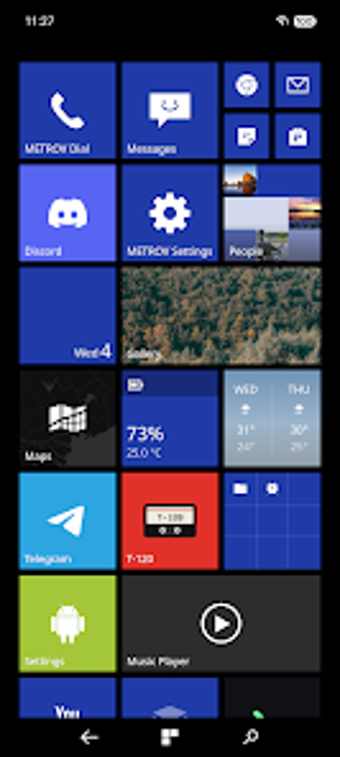
Replace Android navigation with a Metro-style, customizable overlay
Overlay a flat, Windows Phone–inspired navigation bar that maps Back, Start and Search to custom actions in real time. METROV Navbar, from tuzkituan, is an Android personalization utility that uses an Accessibility Service to draw a replaceable bar without root. The app supports 2–5 buttons, three-action assignments per button, dynamic coloring on Android 11+, and icon or image swaps, making it suited to Android customizers and Metro-theme enthusiasts who want fine-grained control over navigation behavior.
What the Navbar actually does on your device
Navbar draws a replacement bar over the system navigation area by using an Accessibility Service, so it does not remove the native bar but covers it. The app provides a configurable layout from two to five buttons, and each button accepts a single tap, long press, and double-tap action. You assign actions such as Back, Home, Recent Apps, Notifications, or launching a specific application from the app's mapping controls.
How it behaves with system resources and visual theming
The tool aims to be lightweight and privacy-focused: it requires no internet permission and contains no analytics, which keeps network activity absent. Dynamic coloring is available on devices running Android 11 and above, letting the bar match system accent or an app background. Haptic feedback and adjustable icon sizes let you tune tactile and visual weight without visible background services beyond the accessibility overlay.
Safety model and permission implications for operation
The app operates through Accessibility Service permissions, which gives it the ability to draw over the navigation area and intercept gestures. It does not ask for network access and claims no tracking, so data does not leave the device. Because it overlays rather than replaces the native bar, gesture navigation remains usable on phones that cannot hide the stock three-button bar.
Who can use it and how steep the learning curve is
Customization requires hands-on setup: remapping three actions per button and choosing dynamic coloring or personal glyphs means investing time in configuration. Casual users can run basic presets, while enthusiasts get depth through multi-action bindings and positioning choices (left, center, right). Integration with METROV Launcher offers a consistent aesthetic for users who already use that suite.
Recommended for Android customizers who accept accessibility access
Navbar is a focused option for people who want a Metro look and granular button mapping without rooting. It trades a simple install for a necessary accessibility permission and hands-on setup, so it is best for users comfortable configuring input mappings. If you value privacy and visual consistency over a plug-and-play experience, this app is a practical pick. Recommended.